
Finding the right prospects is only half the job. The other half is knowing enough about them to actually get a reply. The Skylead and PredictLeads integration gives agencies and sales teams a way to bring real company intelligence, hiring activity, funding events, recent news, and technology stack directly into Skylead’s outreach workflow.
Whether you’re an agency running campaigns for several clients or a sales team trying to stand out in a crowded inbox, this data replaces a generic “Hi {{firstName}}” message with one built around what’s happening at that account right now.
Here’s how the Skylead + PredictLeads integration works, step by step:
Step 1: Find Your Prospects in Skylead
Start inside Skylead’s built-in B2B database to find relevant companies and decision-makers, or import an existing list of your own. Apply filters such as industry, company size, job title, and location to narrow the results down to your ideal customer profile.
Step 2: Save Your List
Once you’ve filtered down to the right companies and contacts, save them to a new or existing list inside Skylead. This list becomes the foundation for enrichment and, eventually, your outreach campaign.
Step 3: Enrich Your List with PredictLeads Data
With your list saved, open Skylead’s Actions panel and launch AI data enrichment. PredictLeads is built in as one of Skylead’s integrated data providers, retrieving company data automatically based on each company’s domain. No separate API key or setup is required. Four company-level datasets are available, each priced at 0.04 credits per row:
- Company Open Jobs: a company’s latest job listings, to understand hiring activity and growth signals. Filter by department, job title, first/last-seen date range, active-only postings, excluding closed postings, and whether a posting includes a description or location.
- Company Funding Information: automatically searches multiple sources for a company’s latest funding round, amount, and investors.
- Company Most Recent News: the latest news article mentioning a company, including source URL, headline, and a brief summary. Filter by category and the date the article was found.
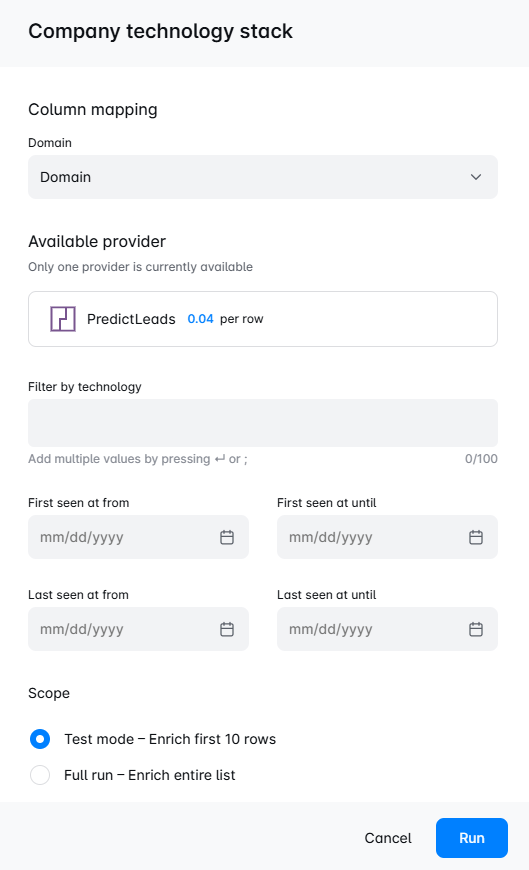
- Company Technology Stack: detects the technologies a company uses on its website, including analytics, marketing, and infrastructure tools. Filter by specific technology and by first/last-seen date range.
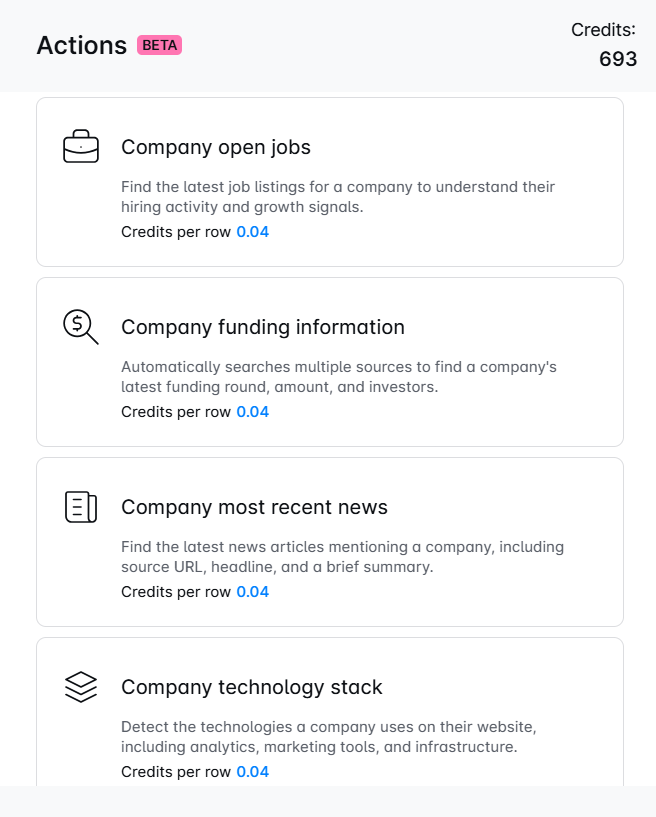
Each dataset has its own configuration screen where you map the domain column, apply your filters, and choose to run in test mode (first 10 rows) or a full run across the entire list.
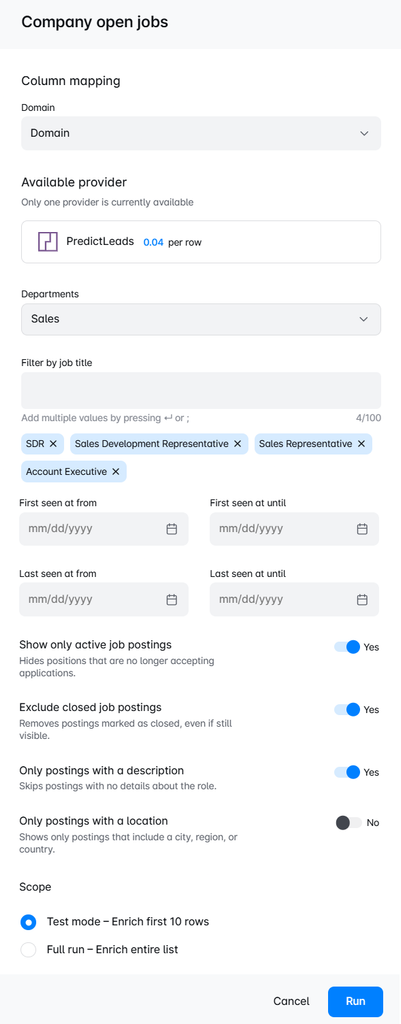
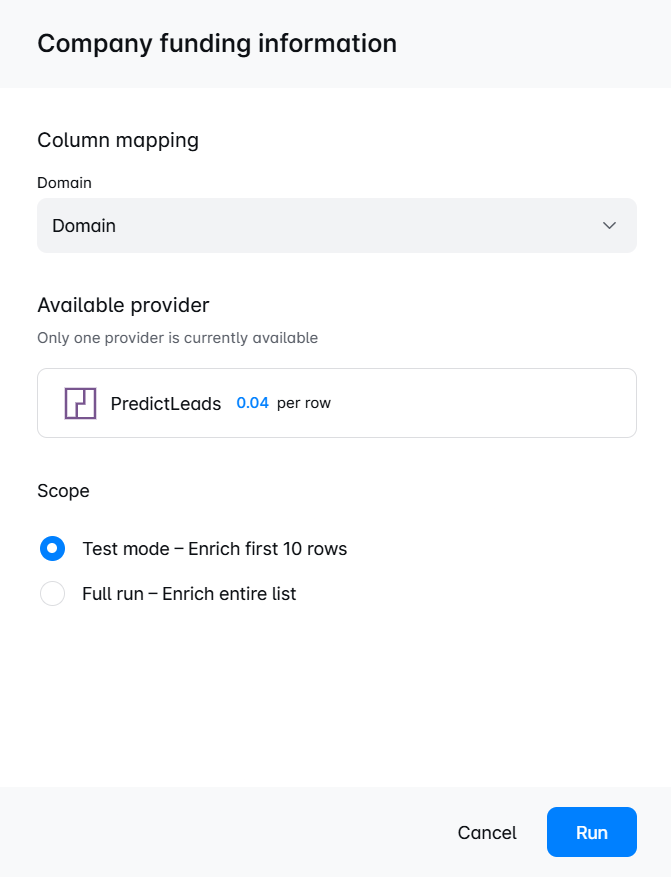
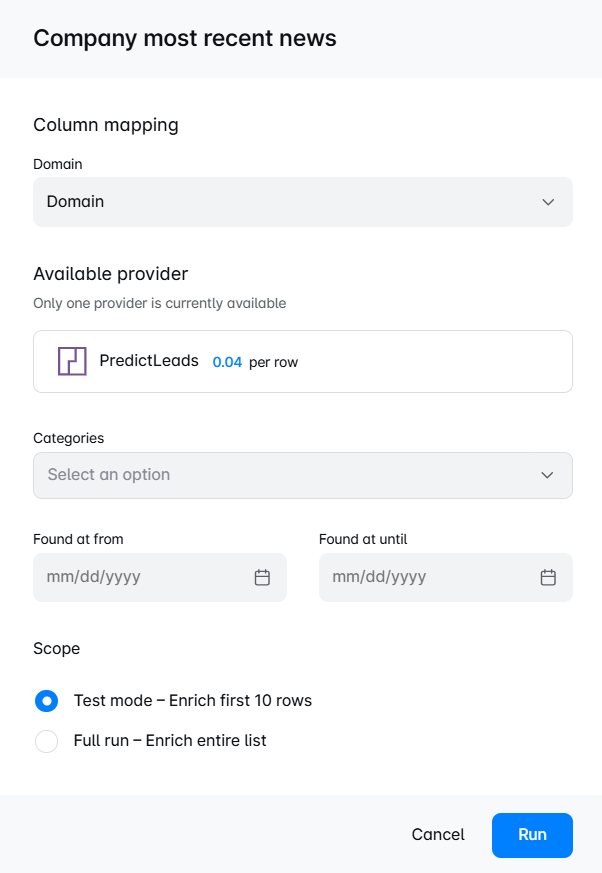
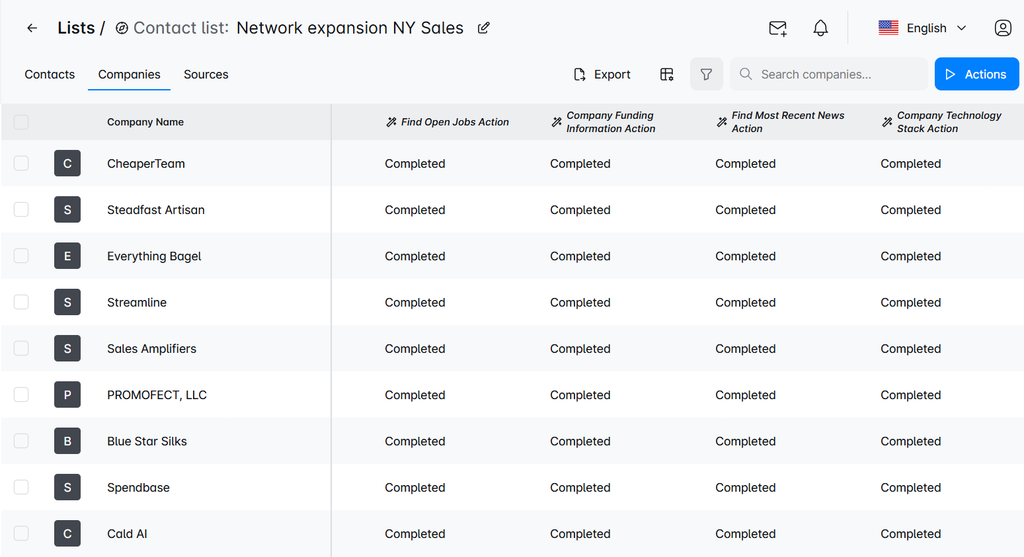
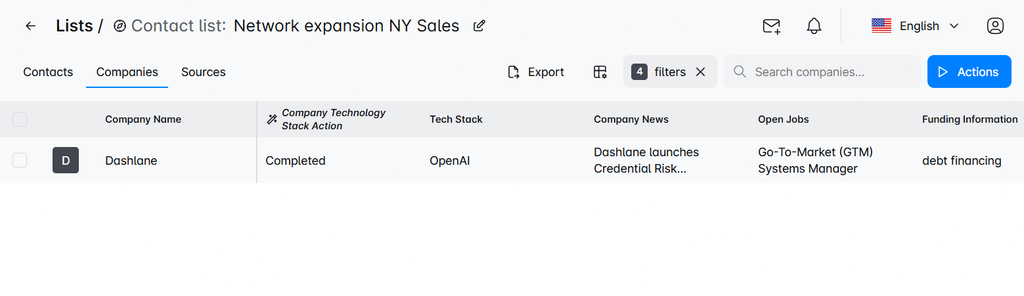
Once you run the actions, Skylead tracks each one’s status directly in your list view, so you can see at a glance what’s finished.
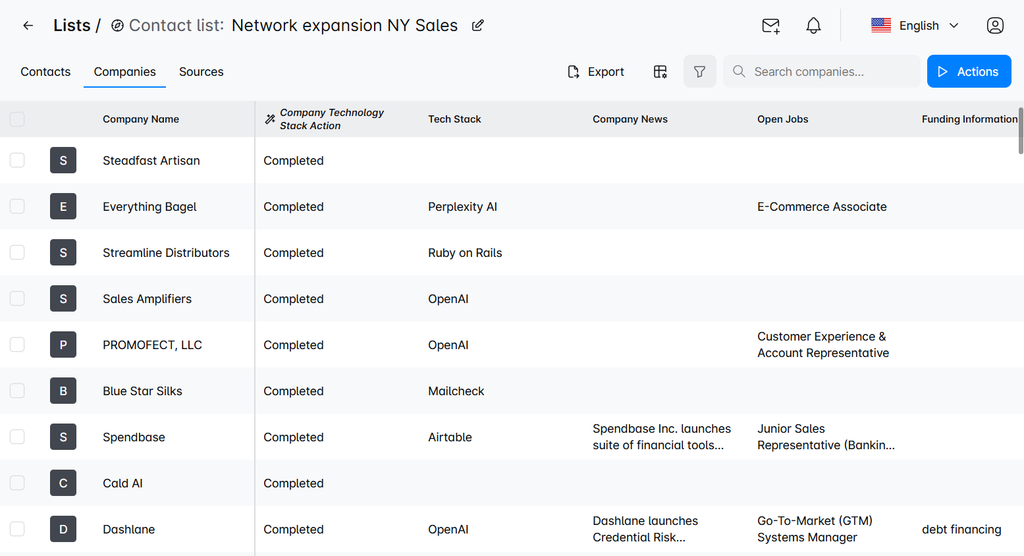
The enriched values then populate as new columns on your company list: technology stack, company news, open jobs, and funding information, ready to use.
Step 4: Narrow Your List by Fit and Buying Signals
Use the enriched fields to filter the list down to the accounts that matter most. Skylead’s filter builder lets you stack conditions, for example, keeping only companies where Tech Stack, Company News, Open Jobs, and Funding Information are all populated. This lets you combine the signals that matter for your ICP and narrow the list down to the most relevant accounts.
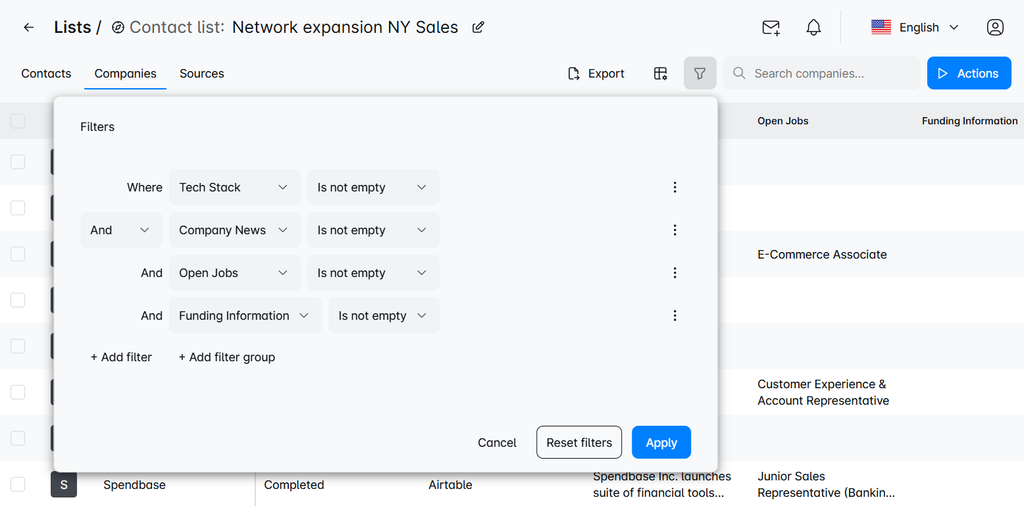
Applying that filter can take a broad list down to a short, high-signal one. In this example, only one company out of the original list meets every condition.
Step 5: Personalize Your Outreach Automatically
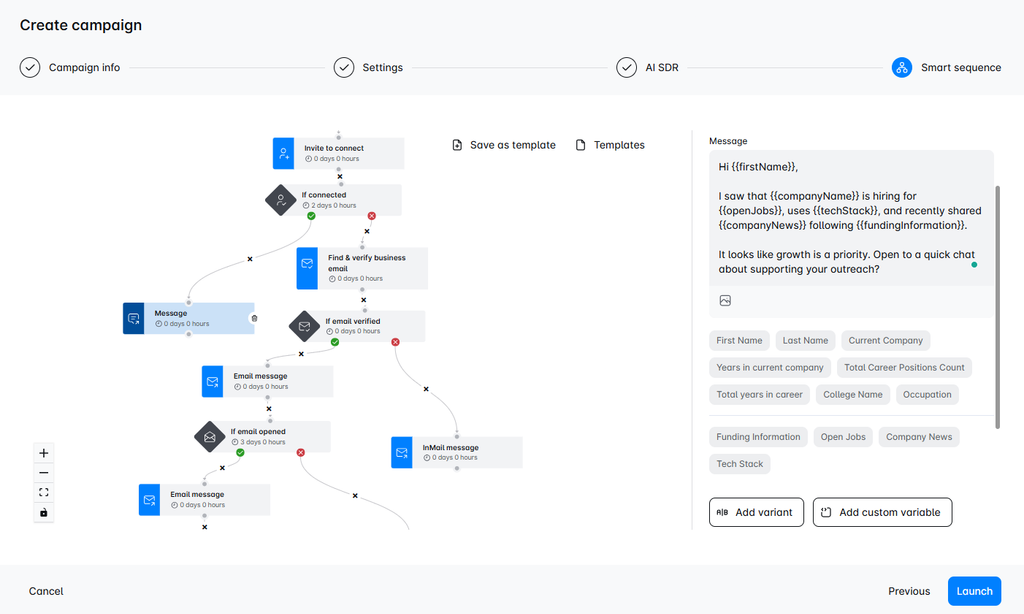
PredictLeads fields can be saved as custom variables and dropped directly into LinkedIn messages and cold emails, right alongside Skylead’s own variables like First Name and Current Company. Skylead can also use this enriched data to generate personalized icebreakers and message copy with AI. Instead of researching each account by hand, you’re working from data that’s already sitting in your list.
Step 6: Launch a Multichannel Smart Sequence
Build and launch a Smart Sequence combining LinkedIn connection requests, LinkedIn messages, InMails, and cold emails in the same campaign, with the PredictLeads fields available as one-click variables in the message editor. Conditional steps determine what happens next for each prospect based on their behavior, such as accepting a connection request, verifying an email, or opening a message, and the sequence branches automatically between LinkedIn and email.
Step 7: Manage Replies in One Inbox
Replies from LinkedIn and email flow into Skylead’s unified inbox. From there, Skylead’s AI SDR can handle conversations and guide qualified prospects toward your desired next step, such as booking a meeting, without you managing every thread manually.
Ready to try it out? Enable PredictLeads inside your Skylead account’s Actions panel, pick the datasets relevant to your campaign, and you’ll have enriched data within minutes. Let us know if you have any questions, we’re happy to help!
Why Use the Skylead + PredictLeads Integration?
- Personalize outreach with real company signals: technology stack, funding, news, and hiring activity, instead of just a name and company field.
- Prioritize the accounts most likely to convert: filter lists down to companies showing genuine buying signals before you ever send a message.
- Reduce manual research: enrichment runs automatically inside the same platform you’re already using to prospect and sequence.
Ready to see this in your own data?
Enable the PredictLeads data enrichment inside Skylead: no separate contract, no extra setup.
Explore PredictLeads in Skylead →
Related Reading
Skylead isn’t the only platform using PredictLeads data this way. See how Clay uses the PredictLeads integration to power a similar signal-based prospecting workflow.
Pingback: White Label Agency Software: Benefits and How to Get Started